


No crypto yet? No problem.
You can buy it directly in your Sportbet.one wallet in just a few clicks and start playing right away. No separate exchanges – everything starts inside your wallet, and the purchase happens smoothly through trusted third-party providers.
Here’s exactly how it works.
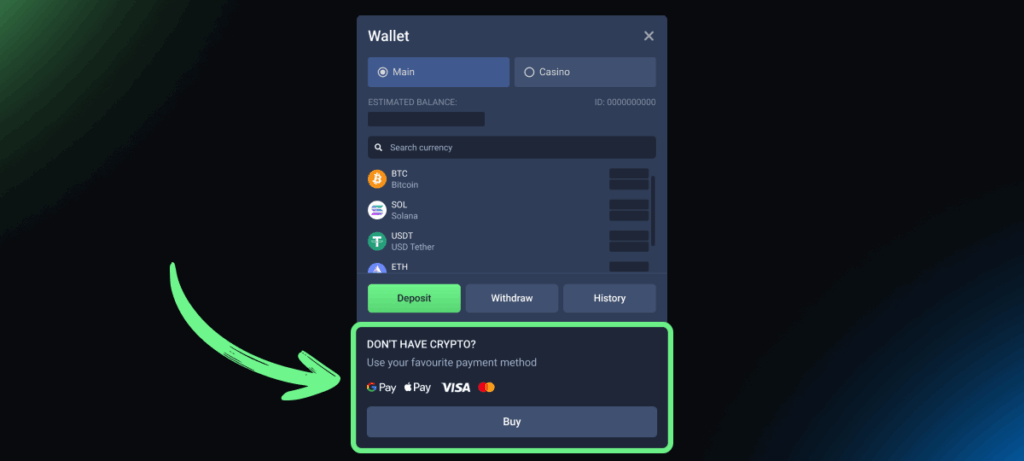
Step 1: Click “Buy Crypto” in your wallet
When you already have a Sportbet.one account, open your wallet and hit “Buy Crypto.”
In the pop-up window, make sure the Deposit tab is on, enter how much you want to deposit in fiat, and check:
- The fiat currency you want to pay with (EUR, USD, UAH, etc.) under “You Send”
- The cryptocurrency you want to receive (BTC, ETH, LTC, DOGE, USDT, etc) under “You Get”
- Your country
The system usually detects your country and currency automatically, but you can change them manually if needed.
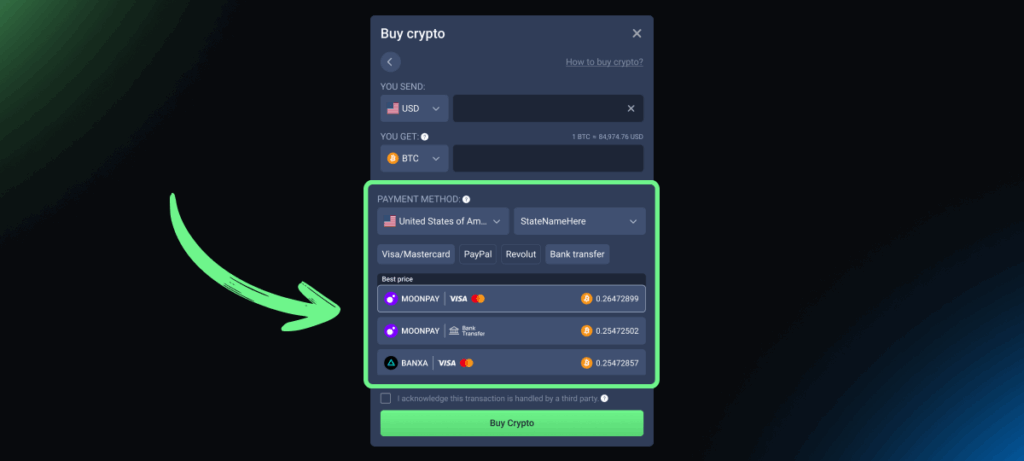
Step 2: Choose from available payment methods
Now, choose one of the available payment methods:
- Visa/Mastercard
- Google Pay
- Apple Pay
- Revolut
- PayPal
Depending on what you choose and your country, the system will show you available third-party providers. The system automatically highlights the best offer based on:
- Exchange rate
- Fees
- Payment method
But you’re free to switch to any other option that works better for you.
In some countries, options may be limited. In rare cases, no providers may appear at all. If that happens, try:
- Using another bank card you own
- Switching the fiat currency
Payment availability is fully controlled by external providers, not the platform.
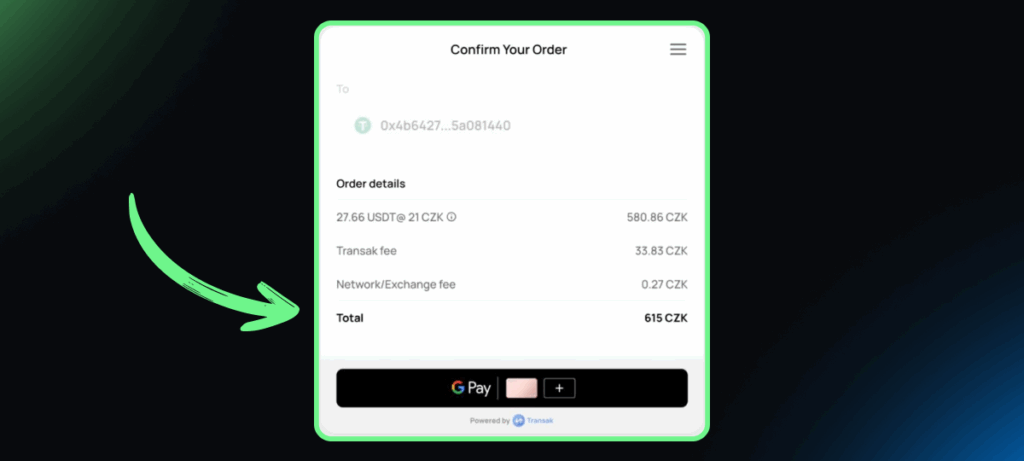
Step 3: Complete the purchase on the provider’s website
When you confirm your choice, you’ll be redirected outside of Sportbet.one to finish the payment.
On the payment page, you’ll see full order details, including:
- The total amount you’ll pay
- The exact amount of crypto you’ll receive
- Exchange fees
- Transaction or processing fees
All fees are set and charged by the payment provider, not by Sportbet.one.
Important to understand:
- The crypto purchase is handled entirely by the external payment provider
- Sportbet.one does not process payments
- The platform does not collect or store your documents
- Any payment issues must be resolved with the provider directly
Once the transaction is completed, the crypto will be credited to your wallet.
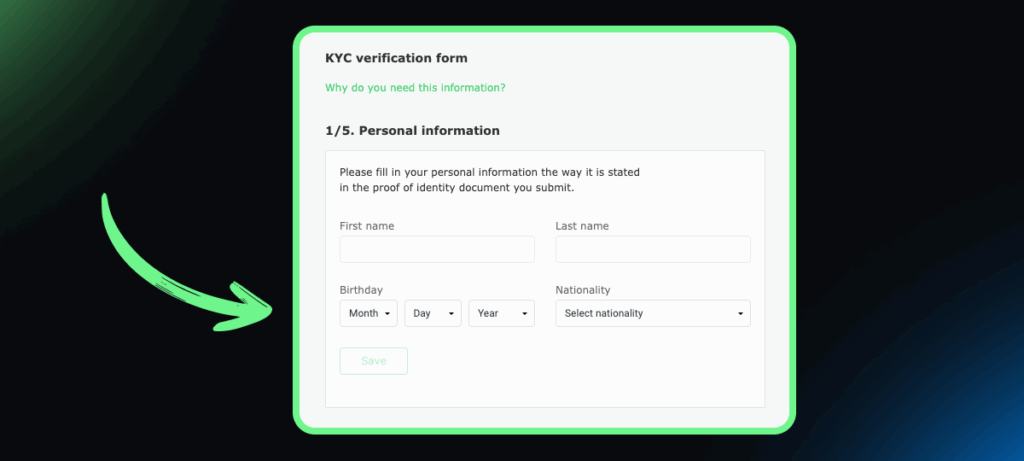
Step 4 (in some cases): Fill in a KYC form (on the provider’s side)
If it’s your first time using a specific provider, they may ask for KYC verification.
A few key points:
- KYC is required by the provider, not by Sportbet.one
- It usually takes 5–10 minutes
- Documents are submitted directly to the provider
- The platform has no access to or control over this process
If you’ve already used that provider before and have a verified account, you’ll just log in and continue — no extra steps.
Deposits are easier than ever
It’s now even easier to play with crypto since there’s no need to set up a separate external wallet first. Everything starts right inside your account.
Your first deposit might take a little longer due to provider verification, but once you’ve done it and know the steps, your betting account can be ready in just a few clicks.
Give it a try and see how smooth it feels.

